quick bytes
Published on July 24, 2026
share via:


Getting a new SIM card is only the first step towards enjoying uninterrupted connectivity. Before you can make calls, send SMS, or browse the internet, you need to complete the SIM activation process. Whether you've purchased a new Vi prepaid or postpaid connection, upgraded to an eSIM, or replaced a lost or damaged SIM, activating your Vi SIM is quick and straightforward.
In this guide, you'll learn how to activate your Vi SIM using SMS, phone verification, a Vi Store, or doorstep verification. You'll also discover how to activate a Vi eSIM, reactivate an inactive SIM, and find answers to the most common activation questions in 2026. So, let’s get started!
Welcome to your Vi Max Postpaid experience
SIM activation is a mandatory security step that verifies your identity and links your mobile number to your registered documents. It helps prevent unauthorised usage while ensuring your connection is ready for voice calls, SMS, and mobile data.
Depending on whether you're activating a new SIM, replacing an existing SIM, or switching to an eSIM, the activation process may differ slightly. Fortunately, Vi offers multiple convenient options to complete the process.
If you've recently ordered a Vi SIM online or purchased one from a retail outlet, you can activate it using any of the following methods.
If you're replacing an existing Vi SIM or upgrading to a new SIM card, SMS activation is one of the quickest methods.
Follow these steps:
This method is ideal if you're wondering how to activate a replacement Vi SIM quickly.
Yes. If you prefer telephonic verification, Vi allows you to activate your SIM through a simple verification call.
Here's how:
Once verification is complete, your SIM is usually activated within 24 hours.
If you're unable to complete activation remotely or require assistance with a lost, damaged, or ownership-change SIM, visiting a Vi Store is the easiest option.
Here's what you'll need:
A Vi executive will verify your identity, complete the required documentation, and manually activate your SIM. This option is particularly helpful if your old SIM has been lost, stolen, or permanently damaged.
An eSIM is a digital SIM that works without a physical card. It is supported on most modern Android smartphones and iPhones and offers a faster, paperless activation experience. If you've opted for a Vi connection with eSIM support, here's how you can activate it.
To install your eSIM:
To install it:
Using an eSIM removes the need for a physical SIM card while offering the same reliable Vi network experience.
If your SIM has been inactive for an extended period or has been deactivated due to prolonged non-usage, you may still be able to restore your connection.
You can request SIM reactivation by contacting customer support.
The customer care executive will verify your registered details and guide you through the reactivation process.
For faster assistance, visit your nearest Vi Store with:
A Vi representative will check your eligibility and help reactivate your connection or issue a replacement SIM if required.
If your SIM isn't working after completing the activation process:
Following these steps usually resolves most activation-related issues.
Activating your Vi SIM in 2026 is designed to be simple, secure, and convenient. Whether you're setting up a new prepaid or postpaid connection, upgrading to an eSIM, or replacing an existing SIM, Vi offers multiple activation options to suit your needs. By following the correct verification steps and keeping your ID proof handy, you can complete the process quickly and start enjoying seamless calling, messaging, and high-speed data services. If you encounter any issues, Vi Customer Care and Vi Stores are readily available to help you get connected without unnecessary delays.
Most Vi SIM activations are completed quickly. SMS activation generally finishes within about 20 minutes after verification, phone-call activation may take up to 24 hours, while eSIM activation is typically completed within 30 minutes after scanning the QR code and completing verification.
You'll usually need the same identity proof used during your connection request, such as your Aadhaar Card or another government-approved photo ID. If visiting a Vi Store, carrying the original document helps complete verification smoothly and securely.
In many cases, yes. If your number hasn't been permanently reassigned, you can contact Vi Customer Care or visit a Vi Store to request reactivation. Eligibility depends on your account status, inactivity period, and successful identity verification.
Yes. Vi supports eSIM on many compatible Android smartphones and iPhone models. After completing verification, you'll receive a QR code via your registered email, which can be scanned to install and activate your digital SIM.
First, restart your phone and ensure you've waited for the expected activation time. Confirm that verification was completed successfully and your device supports the network. If the SIM remains inactive, contact Vi Customer Care or visit a nearby Vi Store for assistance.
liked this post? here's what to read next:

OTT Releases This Week Tamil (இந்த வாரம் தமிழ் OTT வெளியீல்கள்) –24th Oct to 30th Oct
quick bytes
 Oct 23, 2026

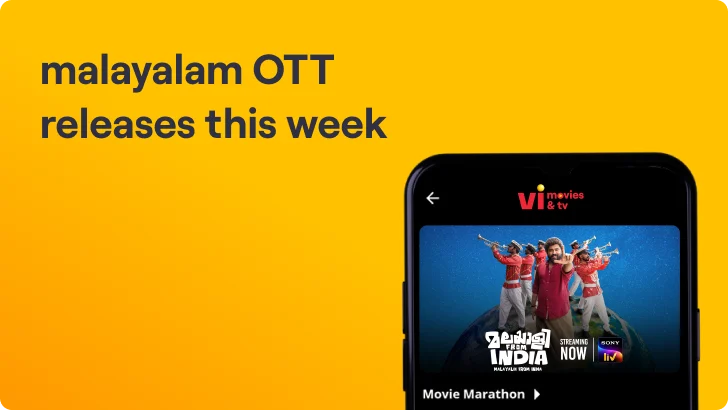
Malayalam OTT Releases This Week (ഈ ആഴ്ച മലയാളം OTT റിലീസുകൾ) – 24th Oct to 30th Oct
quick bytes
Oct 23, 2026

OTT Releases This Week Telugu (ఈ వారం తెలుగు OTT విడుదలలు) – 24th Oct to 30th Oct
quick bytes
Oct 23, 2026

OTT Releases This Week (24th Oct to 30th Oct)
quick bytes
Oct 23, 2026