
quick bytes
Published on March 02, 2026
share via:


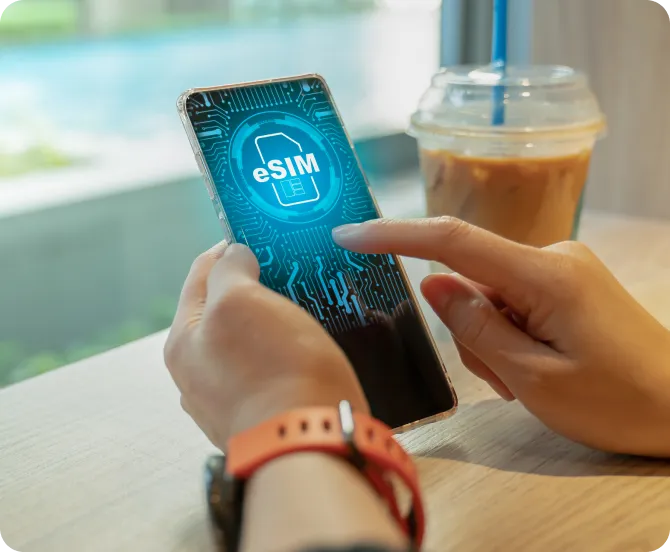

If you’re reading this, chances are you’re looking to transfer your eSIM from one phone to another. Whether you’ve upgraded to a new device or are simply switching phones, moving your eSIM is a quick and straightforward process. At Vi, we know how important convenience is, and eSIMs are designed to make staying connected easier than you might expect. We’re here to guide you through everything you need to know about eSIMs and how to transfer them effortlessly.
An Embedded Subscriber Identity Module, also conventionally referred to as an eSIM, is a digital SIM embedded directly into your device. Unlike traditional physical SIM cards, an eSIM eliminates the need for a removable card while providing the same functionality. So, if you are wondering how to change eSim from one phone to another, we can assure you that it’s easy.
With an eSIM, you can activate your Vi number without fumbling with physical cards, or those flimsy card attachments for that matter. Plus, it’s downloadable, making the esim activation process faster and more eco-friendly. As Vi Postpaid or Prepaid customer, you get the added advantage of a seamless experience, reduced carbon footprint, and enhanced security for your mobile number.
If you’re not already convinced about the benefits of eSIMs, let us list a few:
Hassle-Free Activation: Forget handling physical SIM cards or worrying about wear and tear. With a Vi eSIM, you can activate your number instantly.
Eco-Friendly: No physical card means less plastic and reduced environmental impact. Seamless Switching: You will be able to store eSIMs from different telecom companies and switch according to convenience. If you are looking to know how to transfer eSIM from one iPhone to another, we would like to point out that you can use 2 eSIMs from iPhone 13 onwards.
Enhanced Security: Since eSIMs are embedded, they cannot be switched out or removed if your device is stolen.
Smartwatch Connectivity: Use your Vi Postpaid or Prepaid eSIM to connect your smartwatch and stay connected without needing your phone.
A boon during international travel: eSims can be accessed and switched easily, thereby making it that much easier to connect to the local networks without having to go through the hassle of getting a physical sim in a new country.
Not sure if you’re eligible? Let us help! Vi eSIMs are available to:
To check if your device supports eSIMs, refer to the FAQs on our website or visit your nearest Vi Store for assistance.
While how to change eSIM from one phone to another can sound daunting, it’s a breeze with Vi. Here’s a step-by-step guide:
Step 1: Ensure Compatibility
Before starting, check that your new phone supports eSIMs. Most recent devices, including flagship models from Apple and Samsung, come equipped with this feature.
Step 2: Backup Your Data
While you transfer eSIM from one phone to another, it’s always wise to back up contacts, apps, and important files before switching devices.
Step 3: Delete the eSIM from Your Current Device
To prepare for the transfer, remove the eSIM profile from your old device:
Important: Do not delete the eSIM before ensuring it has been activated on your new device.
Step 4: Request a New QR Code from Vi
You’ll need a new QR code to activate the eSIM on your new device. Here’s how to initiate the process:
Step 5: Activate the eSIM on Your New Device
Now, let’s get your eSIM up and running on your new phone:
Within minutes, your Vi eSIM will be active on your new device!
Step 6: Restart Your Device
Once the eSIM is activated, restart your device to ensure smooth functionality.
At Vi, we prioritise your experience and connectivity. Here’s what sets our eSIM service apart:
Plus, as a Vi customer, you can rest assured that your connection is secure and reliable wherever you go.
If you’re switching between Android smartphones, transferring your Vi eSIM is quick and convenient. You can initiate the request directly through the Vi App without visiting a store. Simply log in to the Vi App, navigate to Help > Raise a service request > Activate eSIM, and select Android as your device type. You’ll then be asked whether you’re activating the eSIM on the same device or another device.
Next, enter the 32-digit EID of the new Android phone. This step is crucial, as an incorrect EID may result in activation failure. Once done, verify the request using the OTP sent to your registered mobile number. After successful verification, you can download your eSIM profile after 15 minutes, either via an in-app notification or by scanning the QR code sent to your registered email ID. Ensure you’re connected to strong Wi-Fi before downloading. Once activated, remove the physical SIM (if applicable) and restart your device for a seamless experience.
Transferring your Vi eSIM from one iPhone to another is just as effortless. The process begins on the Vi App. Log in and head to Help > Raise a service request > Activate eSIM, then select iOS as your device type. Choose the option to activate the eSIM on another device and carefully enter the 32-digit EID of your new iPhone. You can find the EID under
Settings > General > About on your device, do double-check it to avoid delays.
Once the EID is submitted, confirm your request using the OTP sent to your registered number. After approval, you’ll be able to download the eSIM profile within 15 minutes through a notification or by scanning the QR code sent to your registered email. Make sure your iPhone is connected to a stable Wi-Fi network before proceeding. After activation, remove any existing physical SIM and restart your device to enjoy uninterrupted Vi connectivity on your new iPhone.
By keeping these in mind, you’ll ensure a smooth and hassle-free transfer process.
In a world that’s perenially accelerating, convenience is everything. With their seamless integration into devices, ability to switch profiles on demand, and eco-friendly nature, eSIMs are paving the way for smarter and more sustainable mobile solutions.
At Vi, we’re proud to offer cutting-edge eSIM services that cater to your needs. Whether you’re upgrading to the latest smartphone or switching between devices for work and personal use, our eSIMs make the transition effortless.
So, the next time you’re wondering how to transfer eSIM from one phone to another, just follow this guide. Ready to make the switch? Visit Vi’s eSIM page or drop by your nearest Vi store, and we’ll handle the rest!
Curious about switching to eSIM or getting started online? Don’t miss Is Vi eSIM Prepaid Available? to understand your options, and check out How to Buy eSIM Online in India? for a simple, step-by-step guide to making the switch effortlessly.
liked this post? here's what to read next:

Malayalam OTT Releases This Week (ഈ ആഴ്ച മലയാളം OTT റിലീസുകൾ) – 10th Oct to 16th Oct
quick bytes
 Oct 09, 2026


OTT Releases This Week (10th Oct to 16th Oct)
quick bytes
Oct 09, 2026

OTT Releases This Week Tamil (இந்த வாரம் தமிழ் OTT வெளியீல்கள்) –10th Oct to 16th Oct
quick bytes
Oct 09, 2026

OTT Releases This Week Telugu (ఈ వారం తెలుగు OTT విడుదలలు) – 10th Oct to 16th Oct
quick bytes
Oct 09, 2026
1
GB/Day
data
28
Days
validity

2
GB
data
28
Days
validity
1.5
GB/Day
data
28
Days
validity

