quick bytes
Published on March 10, 2025
share via:



At Vi, we understand that switching to a new phone should be exciting, not stressful. But what about your contacts? Whether you're looking for how to transfer contacts from iPhone to Android, Android to iPhone, or simply upgrading within the same platform, ensuring all your important contacts make the transition smoothly is crucial.
In this guide, we'll walk you through how to transfer contacts from one phone to another. Whether you're wondering how to transfer contacts from Android to iPhone, how to copy contacts from Android to iPhone, or even how to import contacts from Android to iPhone, we've got you covered.
Switching from one iPhone to another is incredibly easy, thanks to Apple’s revolutionary ecosystem. Here’s how you can do it:
If your new iPhone is fresh out of the box or has been factory reset, Apple's Quick Start feature makes the process even easier:
This method ensures a smooth and hassle-free experience without needing third-party apps.
Looking for how to copy contacts from Android to Android? Well, moving contacts between Android devices is also straightforward, thanks to Google’s cloud-based syncing options.
If you're transferring from one Samsung device to another, Smart Switch is a great alternative:
With either method, transferring your contacts between Android devices is quick and efficient. If you’re wondering how to copy contacts from Android to Android, these methods will get the job done effortlessly.
Transitioning from Android to iPhone? The process requires a few extra steps, but don’t worry—we’ll guide you through it.
Another option is Apple’s Move to iOS app, which transfers contacts, messages, and more during the iPhone setup process.
With these methods, you’ll never have to worry about losing important contacts when switching from Android to iPhone. If you’ve been searching for how to transfer contacts from Android to iPhone, these steps ensure a seamless transition.
Switching from an iPhone to an Android device? There are a few different ways to make sure your contacts come along.
○ Go to Settings > Contacts > Import/Export Contacts > Export to SIM.
This method is useful if you prefer a simple, offline transfer without needing an internet connection.
Now, you know exactly how to transfer contacts from iPhone to Android—whether through Google sync or using your SIM card.
Irrespective of whether you are using an Android or iOS device, the fact remains that you deserve the best mobile connectivity consistently. We offer a wide range of options across prepaid and postpaid that are designed to help you stay connected. Here are a few of them:
Prepaid:
Price |
Validity |
Benefits |
₹379 |
1 Month |
- Truly Unlimited Calls - 2GB/Day Data - 100 SMS/Day - Half Day Unlimited Data (12 AM - 12 PM) - Weekend Data Rollover - Up to 2GB of Backup Data Every Month (Claim via ViApp) |
56 Days |
- Truly Unlimited Calls - 3GB/Day Data - 100 SMS/Day - Vi Movies & TV Super (60 days access to 16 OTTs) - Half Day Unlimited Data (12 AM - 12 PM) - Weekend Data Rollover - Up to 2GB of backup Data every month (Claim via ViApp) |
|
84 Days |
- Truly Unlimited Calls - 2GB/Day Data - 100 SMS/Day - Vi Movies & TV Super (84 days access to 16 OTTs) - Half Day Unlimited Data (12 AM - 12 PM) - Weekend Data Rollover - Up to 2GB of backup Data every month (Claim via ViApp) |
|
365 Days |
- Truly Unlimited Calls - 2GB/Day Data - 100 SMS/Day - JioHotstar Subscription (1 year access to JioHotstar Mobile) - Half Day Unlimited Data (12 AM - 12 PM) - Weekend Data Rollover - Up to 2GB of backup Data every month (Claim via ViApp) |
Subscribers using our prepaid services in Karnataka, Andhra Pradesh, Rajasthan, Madhya Pradesh, Odisha, Assam, North East, Jammu and Kashmir, and Himachal Pradesh circles will be able to access Unlimited Data all day, every day with our Non-Stop Superhero plans.
Postpaid:
Price |
Validity |
Benefits |
₹451 (Vi Max 451) |
Monthly |
- 50GB with 200GB Monthly Rollover
- Unlimited Night Data (12 Midnight to 6 AM) |
₹551 (Vi Max 551) |
Monthly |
- 90GB with 200GB Monthly Rollover |
Monthly |
- 150GB with 200GB Monthly Rollover |
|
Monthly (6-month lock-in) |
- Unlimited Data, Unlimited calls |
Subscribers using our postpaid services in Karnataka, Andhra Pradesh, Telangana, Rajasthan, Madhya Pradesh, Chattisgarh, Odisha, Assam, North East, Jammu and Kashmir, and Himachal Pradesh circles will be able to access Unlimited Data with the aforementioned plans.
Transferring contacts from one phone to another doesn’t have to be complicated. Whether you’re switching between Android and iPhone or upgrading within the same system, there’s always a method that works best for you.
To recap:
No matter which method you choose, you’ll never have to worry about losing contacts again. At Vi, we believe staying connected should be easy, and with these steps, you can transition to your new phone without missing a beat while staying connected.
If you’re still wondering how to import contacts from Android to iPhone, how to copy contacts from Android to iPhone, or any other contact transfer process, this guide has you covered. Happy switching!
liked this post? here's what to read next:
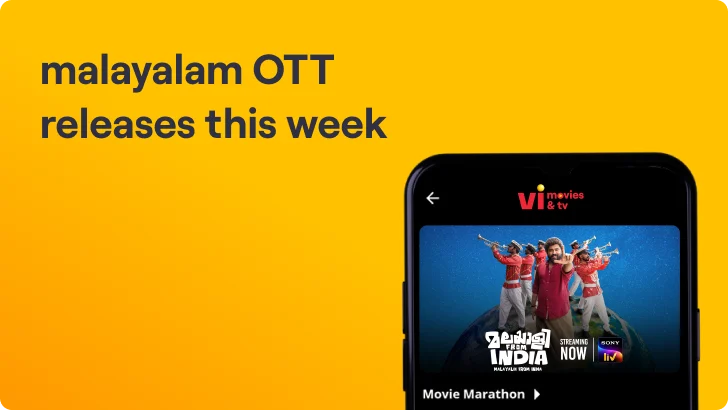
Malayalam OTT Releases This Week (ഈ ആഴ്ച മലയാളം OTT റിലീസുകൾ) – 3rd Oct to 9th Oct
quick bytes
 Oct 05, 2026

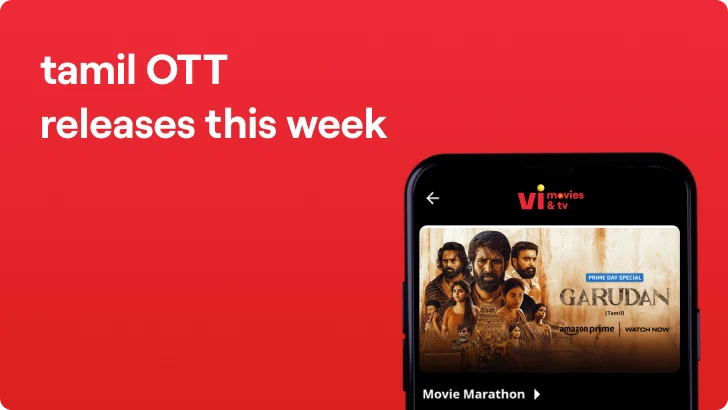
OTT Releases This Week Tamil (இந்த வாரம் தமிழ் OTT வெளியீல்கள்) –3rd Oct to 9th Oct
quick bytes
Oct 05, 2026
OTT Releases This Week Telugu (ఈ వారం తెలుగు OTT విడుదలలు) – 3rd Oct to 9th Oct
quick bytes
Oct 05, 2026

OTT Releases This Week (3rd Oct to 9th Oct)
quick bytes
Oct 05, 2026